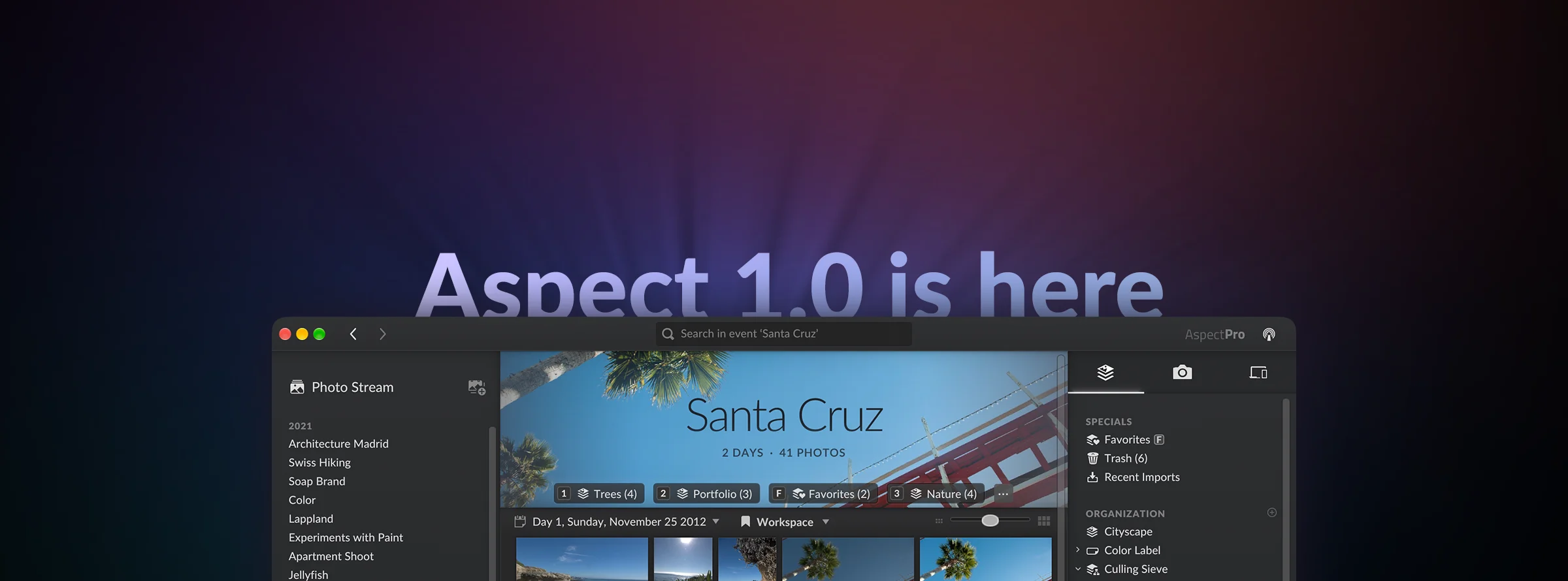

Official Release of Aspect 1.0!
What Aspect Is Today
The current set of features meets the needs of serious photo organization. Our new organization concept and the focus on personal ownership and privacy in combination with the possibility to share libraries between multiple devices set Aspect apart from existing software.
At this stage, the application is focused on getting the organization part right and leaves editing to specialized applications. Many popular photo editors are automatically recognized and integrated into the workflow. Others can be configured manually and for advanced use cases, the scripting functionality can be used to automate complex editing steps.
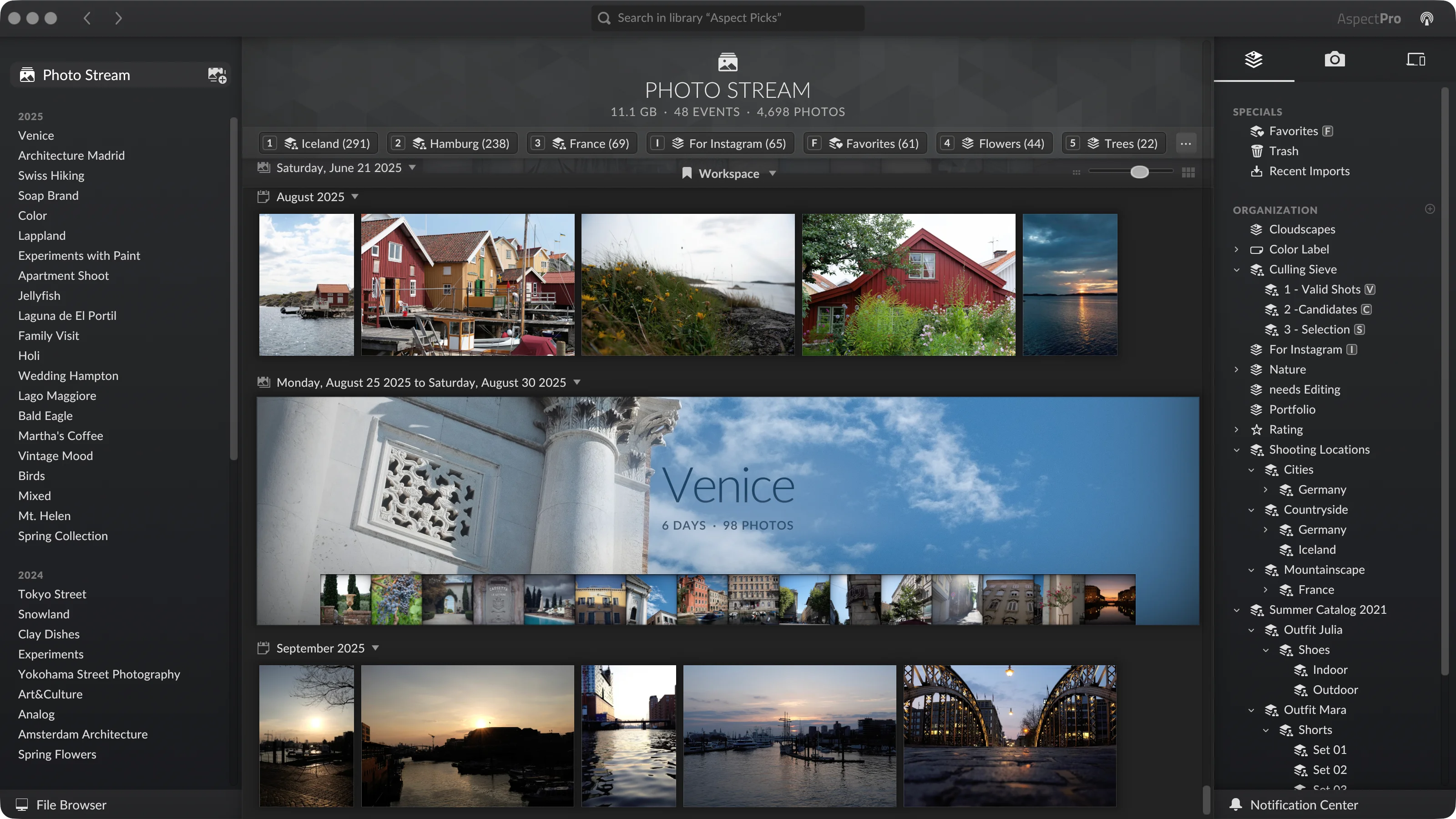
Its organization system is based on two pillars: The basic structure in the form of photo stream and events – think of a mobile camera roll, but with the ability to group photos into distinct events. This defines the library’s basic structure and is reflected directly in your filesystem. And on top of that, collections then serve as the building blocks for organizing photos around your actual workflows, such as “Needs Editing”, “Portfolio” or “Birds”… and there is probably a lot more that you can do with collections than you would think.
Our Journey Toward a Finished Product
When we developed the first prototype, it turned out that despite our considerable past experience in this area, we were still regularly surprised by how our ideas were perceived and how vastly varied people’s approaches to the topic of photo organization were.
It took us well over a year before we felt confident enough to take the first step in opening up Aspect to the public. It was in May 2021 that we launched our public beta and, at the same time, started to offer an early-access version to cover at least part of our development costs.
With more people trying out the software, a pattern that we previously observed during the closed beta phase continued: Almost every new user had their own approaches and preferences with regard to photo organization. As a consequence, we had to rethink parts of our design several times and had to decide how far we were willing to generalize our relatively opinionated approach.
A prime example of this is the “scanned folders” feature. While our idea has always been that we don’t want to have to create and manage folders on disk by hand anymore, it turned out that there were a lot of people out there who actually felt comfortable doing that and even explicitly wanted that due to that extra bit of flexibility.
Today, we have a solid set of features that address a pretty wide variety of needs, without letting the result become too complicated, which is always a danger of too much generalization. But still, this is just the beginning of where this is heading, and we have lots of plans for how to improve it further. At the same time, we are looking forward to seeing how people will use it in practice and what wishes and ideas will emerge.
Basic Structure – Photo Stream and Events
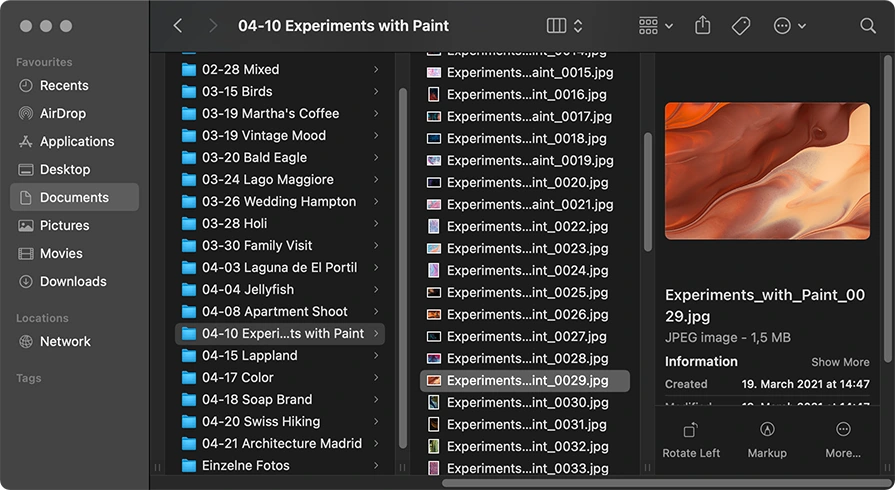
When a photo gets imported into a library, it will typically first end up in the photo stream, a linear list of photos that you can scroll through. In the background, Aspect automatically creates the appropriate folders and puts each photo in the proper place, for example, grouped by month and year.
From the photo stream you can then select photos and create events. Each event has its own name and a title photo, and corresponds to a single folder on disk. Again, this folder is automatically named and placed according to a configurable organization scheme.
Together, these allow you to concentrate on the photos during organization, without having to constantly worry about keeping the filesystem side tidy. However, if you prefer, you can also completely skip this and use “scanned folders”, similar to Picasa, and continue to manage your folders manually.
Collections – Versatile and Fine-Grained
At the most basic level, Aspect’s collections are similar to collections or albums in other applications: A collection has a name and you can place photos or videos in it, without creating a physical copy on disk. The same photo can be in any number of collections, without taking up additional disk space.
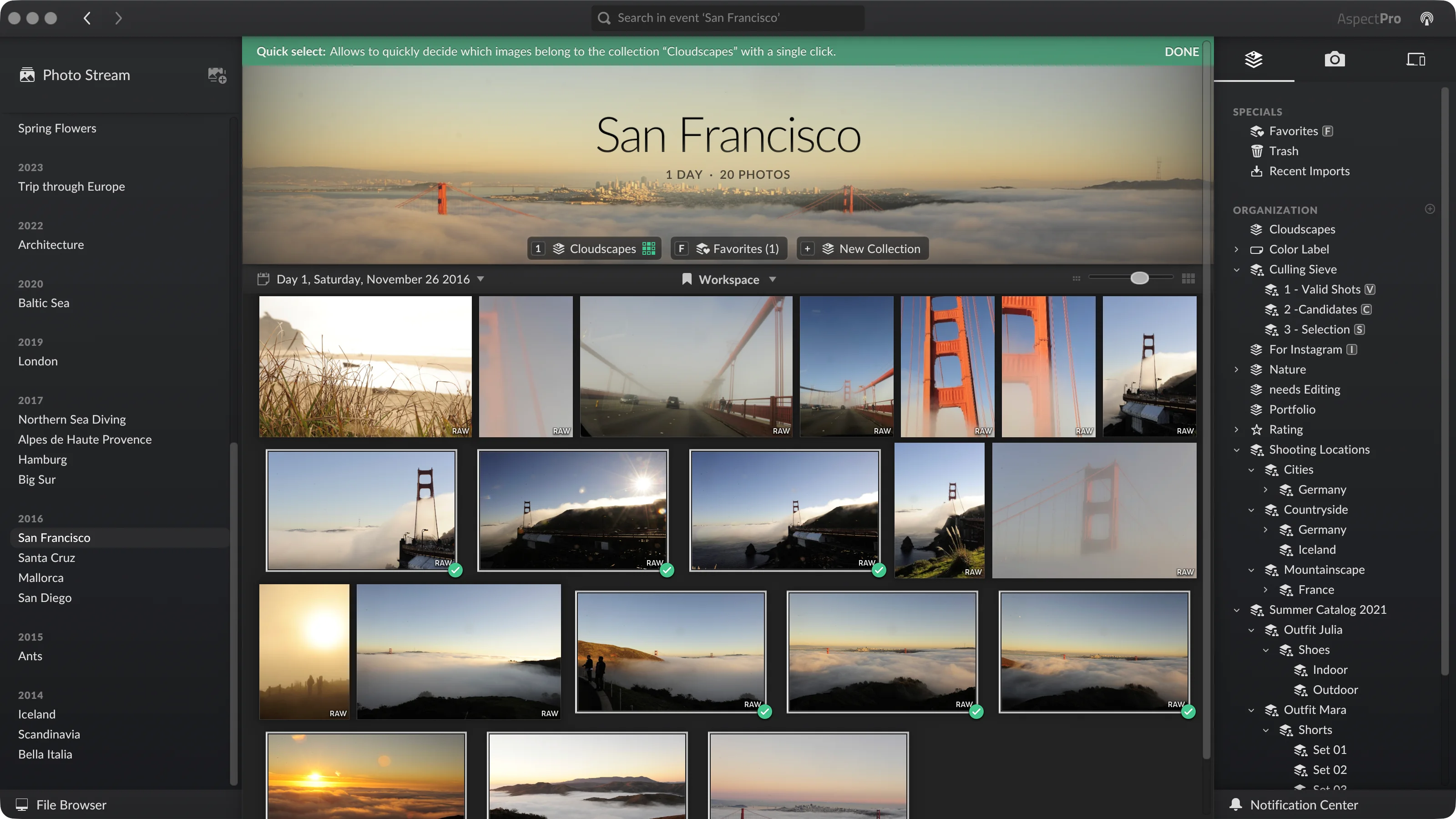
Now, we didn't stop there; this was just a starting point for us. We elevated collections from simple albums to a central organization primitive that replaces many use cases for color labels, star ratings, picks/rejects and keywords – in a faster, more flexible and more powerful way.
One of the key ideas is to make collections context-sensitive. Instead of just having a global list of collections, each view has a local collection bar that lists only the collections containing photos in that view, effectively turning them into virtual sub-folders. Each local collection also automatically gets a numeric keyboard shortcut assigned, or you can assign a global one. Together with the additional quick-select mode, this offers an extremely efficient way to add and remove photos.
On top of this, it is possible to automate assigning metadata to photos in a particular collection, so that things like preparing photos for publishing or assigning keywords based on a category can become an implicit part of the organization workflow. Similarly, with export collections it is possible to dynamically manage exporting photos. For example, an “Instagram” or “Web Gallery” collection could be set up to automatically export the contained photos seamlessly as an implicit part of choosing which photos to share: Once you have gone through the photos, the exported photos will already be there in the filesystem, ready to be sent out.
Finally, nested collections and taxonomies are powerful instruments to create hierarchies of collections and enable totally new workflow approaches for tasks such as culling photos.
Local Synchronization with No Cloud Required
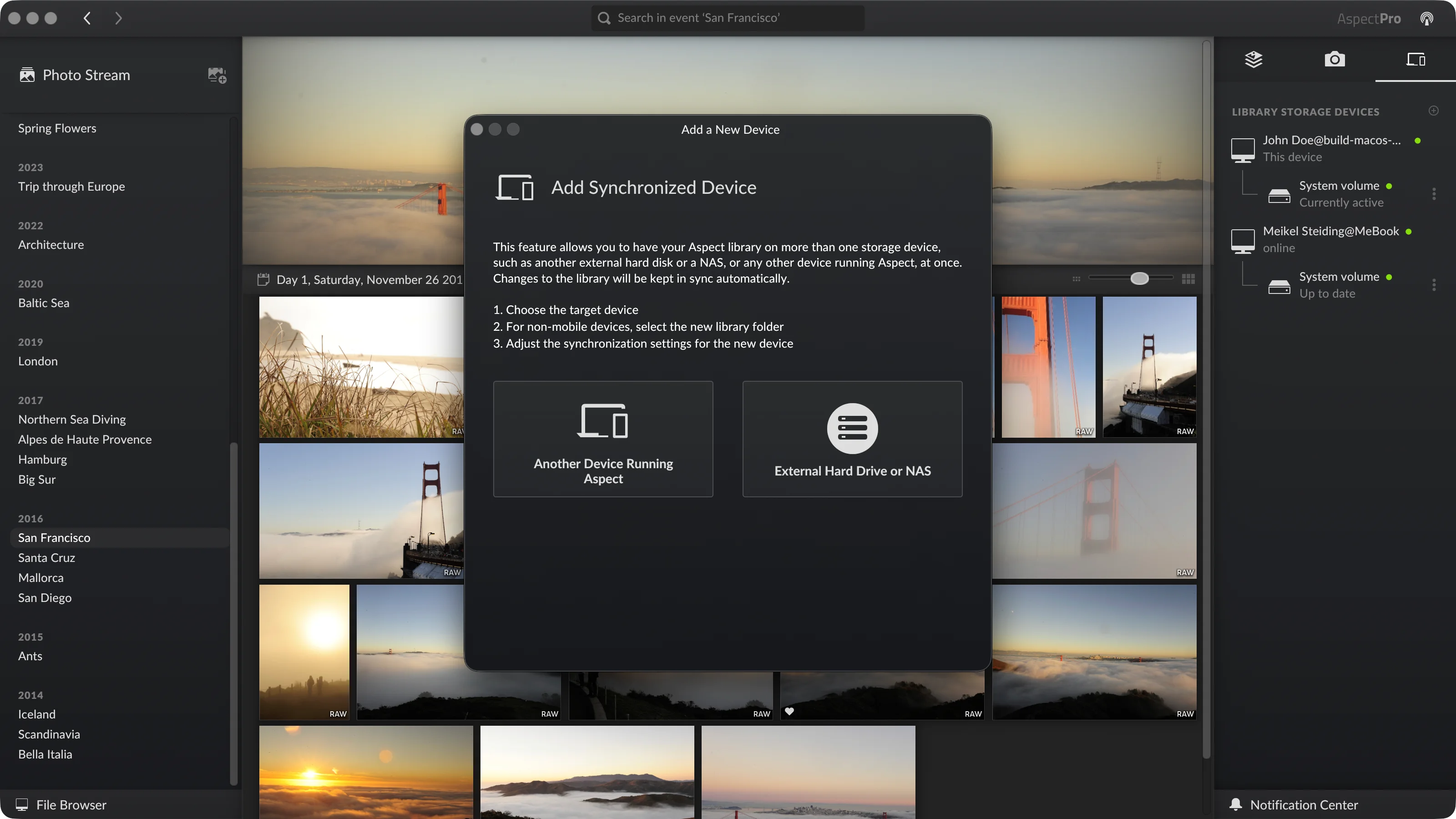
A fundamental feature of Aspect’s libraries is that a library can be stored on multiple devices and Aspect keeps them synchronized automatically. The synchronization happens directly between the devices; no internet connection or cloud server is involved.
Devices can be external disks, a NAS, a laptop or a computer running the server version of Aspect. Each device can choose to store all files of the library, a specific part of it, or just the catalog with preview photos. This opens up lots of possibilities for different setups, all while keeping the data local and private.
What’s Next?
With a robust feature base, we can now shift the focus back to implementing new features. The next features that will be released very soon will be image-content based search and keyword suggestions, powered by a local AI model that you can choose freely, as long as your hardware is capable of running it.
Two other notable and relatively common organization features, map-based geotagging and face detection, are also in development and should follow shortly afterward.
Final Thoughts
Building photo organization software of this kind is a huge undertaking, especially when pioneering a new approach, and we greatly appreciate all of the support we've received. A big thank you to everyone who tested the betas and reported issues. And, of course, special thanks to the early-access backers also supporting us financially, without whom we wouldn’t have gotten this far!
Get the application now on the download page or check out our launch offer, which runs until November 15.
0 comments